Client Portal
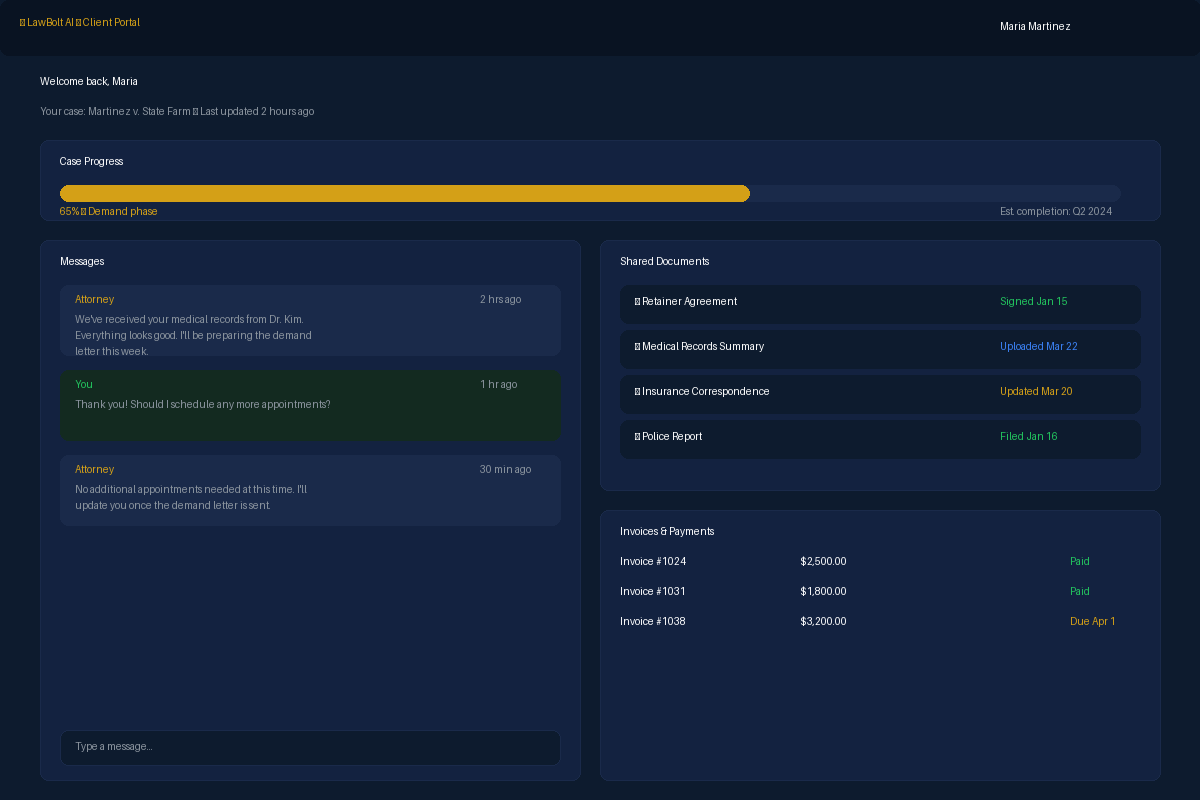
Give your clients a simple, secure way to access their plan. No passwords, no confusing portals—just a magic link to their documents, messages, and appointments.
Your Clients Get
See It In Action
A real look at the client portal dashboard — not a generic template.
Max in Action
Monday 10:15 AM — Preparing Mrs. Gable's Trust for Signing
Estate planning attorney David Chen needs to get final documents to his elderly client, Mrs. Gable, for her review before their signing appointment.
David finalizes the 'Gable Family Revocable Living Trust' and supporting documents. He tells Max, 'Create a secure client portal for Eleanor Gable and upload these files.'
Max instantly provisions a secure, encrypted portal for Mrs. Gable. He uploads the trust, a summary document, and a video David recorded explaining the key provisions.
Max composes a simple email to Mrs. Gable, explaining that her documents are ready for review. The email contains a single 'magic link' for one-click access—no username or password required.
Mrs. Gable clicks the link and reviews the documents. She uses the integrated messaging to ask David, 'Can you clarify the role of the successor trustee?' The message appears directly in David's dashboard.
David types a quick clarification and suggests a brief call. Through the portal, he offers her a few available times for the next day.
Mrs. Gable selects a time that works for her, and the appointment is automatically added to David's calendar.
Total time for Max: 16 minutes of focused client service. Without Max: Hours of chasing emails, printing, mailing, and playing phone tag.
What's Included
Everything you need to streamline this part of your practice.
Secure Communication
Communicate with clients through encrypted messaging, ensuring confidentiality and data protection.
Document Sharing
Easily share and receive documents with clients in a secure environment, eliminating the need for insecure email attachments.
Case Status Updates
Provide clients with real-time updates on their case progress, reducing the need for constant check-ins.
Self-Service Appointment Booking
Clients book consultations directly through the portal. Set your availability windows, appointment types, and durations — clients pick a slot that works for both of you.
How It Works
Get started in minutes, not hours.
Client Onboarding
Invite clients to the portal with a secure link, where they can create an account and access their case information.
Information Exchange
Share documents, send messages, and provide case updates through the portal's intuitive interface.
Automated Notifications
Clients receive automated notifications for new messages, document uploads, and case milestones.
Seamless Collaboration
Collaborate with clients on documents and case matters, all within a single, secure platform.
Stop Losing Hours to Admin Work
99 AI-powered tools. One flat rate. Money back guarantee.
Get Started — Money Back Guarantee