Workflow Automation
From client intake to final decree, Max automatically manages every deadline and task in your divorce cases, so you can focus on your clients, not the paperwork.
See It In Action
A real look at the workflow automation dashboard — not a generic template.
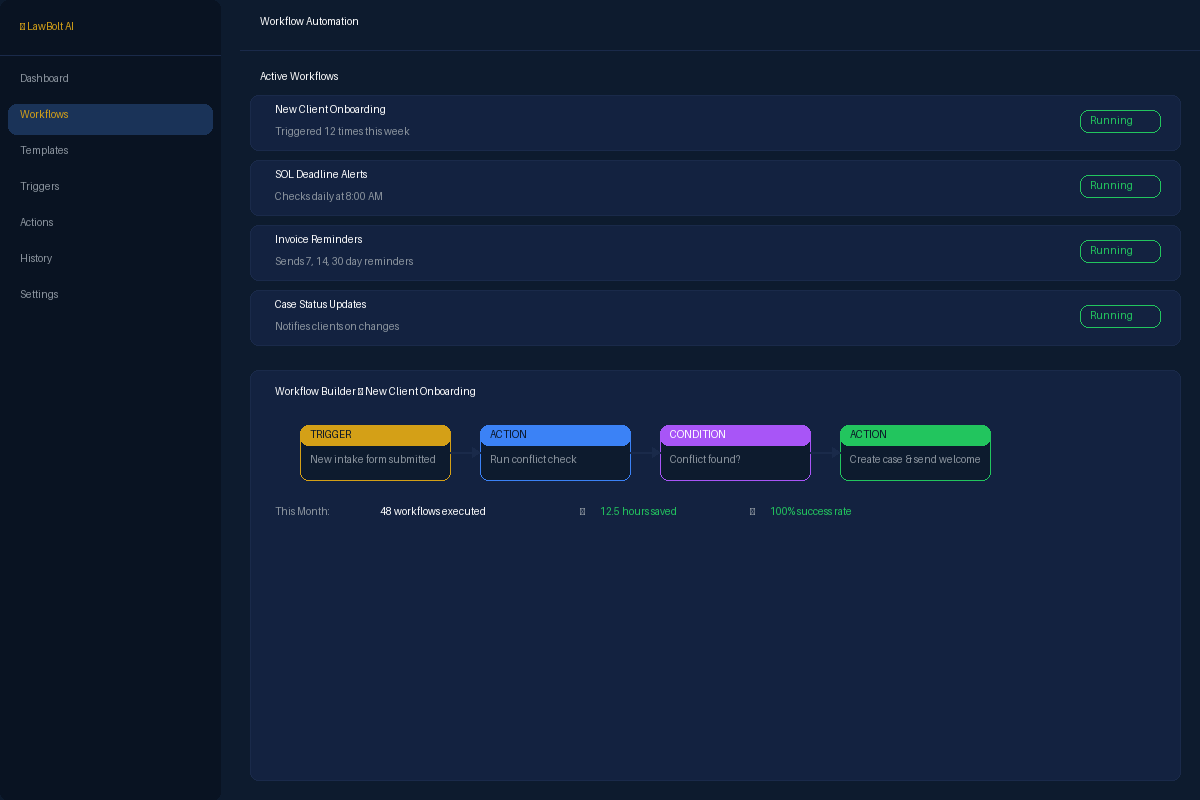
Max in Action
Monday 9:15 AM — Kicking Off the Miller Divorce Case
Family law attorney Maria Rodriguez has just finished her initial consultation with a new client, Mr. Miller, and is ready to open his divorce file.
Maria sets the new case 'Miller v. Miller' to 'Intake Complete' in their practice management software.
Instantly, Max's 'Standard Divorce' workflow triggers. It populates the case with 47 template tasks, from 'Draft Petition for Dissolution' to 'Prepare Final Judgment'.
Max automatically calculates and assigns deadlines for critical filings based on court rules. The 'Preliminary Financial Disclosure' is set for 45 days out, and Maria gets a reminder task for 10 days prior.
Max sends a personalized welcome email to Mr. Miller, introducing him to the client portal and outlining the key milestones of his case.
Total time for Max: 3 minutes. Without Max: 30 minutes of manual setup and data entry.
What's Included
Everything you need to streamline this part of your practice.
Trigger-Based Rules
Create if-then rules that fire automatically when events occur — new case created, deadline approaching, invoice overdue, or document uploaded.
Multi-Step Workflows
Chain multiple actions together in a single workflow. Assign tasks, send notifications, update case status, and generate documents — all from one trigger.
Smart Notifications
Automatically notify the right people at the right time. Send email alerts, in-app notifications, or client portal messages based on workflow events.
Recurring Task Automation
Set up recurring tasks and reminders that auto-generate on schedule. Perfect for compliance deadlines, retainer billing cycles, and periodic client check-ins.
How It Works
Get started in minutes, not hours.
Choose a Trigger
Select from dozens of trigger events — new case, approaching deadline, payment received, document signed, and more.
Define Conditions
Add optional conditions to fine-tune when the workflow fires. Filter by case type, client, amount, or any custom field.
Set Actions
Choose what happens: create tasks, send emails, update statuses, generate documents, or trigger other workflows.
Activate & Monitor
Turn on your workflow and monitor its execution history. See exactly what fired, when, and what actions were taken.
Stop Losing Hours to Admin Work
99 AI-powered tools. One flat rate. Money back guarantee.
Get Started — Money Back Guarantee