Email Sync (Outlook & Gmail)
Never leave your inbox. Max transforms Outlook & Gmail into your command center, automatically linking every email, calendar event, and contact to the right case.
Automatic Email Intelligence
See It In Action
A real look at the email sync (outlook & gmail) dashboard — not a generic template.
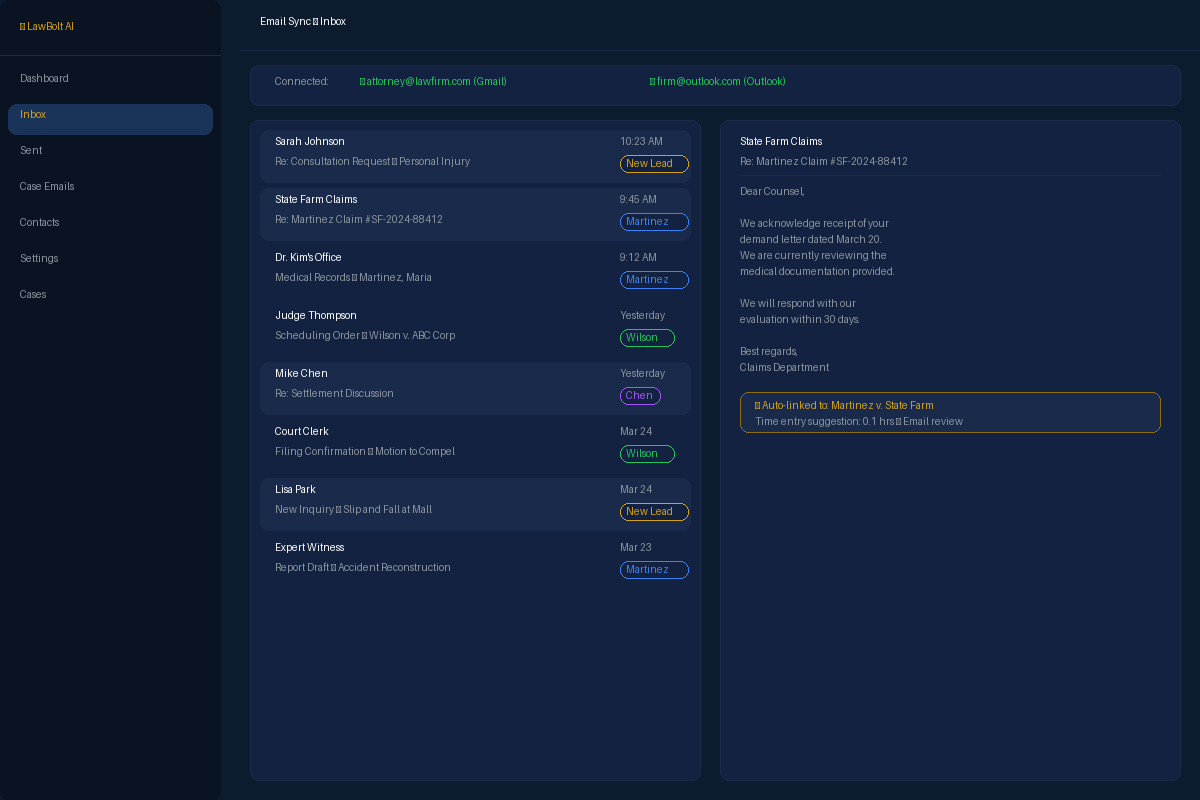
Max in Action
Monday 9:17 AM — Opposing Counsel Files a Surprise Motion
Attorney David Rodriguez lives in his Outlook inbox. He's dreading the typical Monday morning avalanche when an unexpected email from opposing counsel lands.
An email from '[email protected]' arrives with the subject 'Motion to Compel - Thompson v. Acme Corp'. It contains a PDF attachment named 'Motion_Compel_Discovery_2026-03-27.pdf'.
Instantly, Max recognizes the sender and case reference. It automatically saves the email and its attachment to the 'Thompson v. Acme Corp' matter, making it accessible to the whole team.
Max parses the email body and the attached motion, identifying a proposed hearing date of April 15th and a response deadline of April 8th.
Max cross-references David's synced Outlook calendar and sees he's already booked for a deposition on April 15th. It also adds the April 8th response deadline to his calendar as a firm task.
A notification pops up in David's Outlook. He sees the new calendar events and a suggested reply to Sarah Jenkins, noting the conflict and proposing two alternative dates. He clicks 'Send'.
Total time for Max: 2 minutes. Without Max: 15-20 minutes of app-switching, manual data entry, and calendar juggling.
What's Included
Everything you need to streamline this part of your practice.
Two-Way Email Sync
Sync your Outlook or Gmail inbox with Max in real time. Emails sent and received appear in both your inbox and the relevant case file automatically.
Smart Case Linking
AI automatically matches incoming emails to the correct case based on sender, subject, and content. Manually link any email with one click when needed.
Attachment Capture
Email attachments are automatically saved to the case document folder. No more downloading, renaming, and re-uploading files.
Full-Text Email Search
Search across all synced emails by keyword, sender, date range, or case. Find any communication in seconds, even from years ago.
How It Works
Get started in minutes, not hours.
Connect Your Account
Securely connect your Outlook or Gmail account with OAuth. Your credentials are never stored — only a secure access token.
Set Sync Preferences
Choose which folders to sync, set up auto-linking rules, and configure how attachments are handled.
Emails Link Automatically
As emails arrive, Max's AI matches them to cases and files attachments. Review and adjust links anytime.
Complete Communication Record
Every case now has a full email history. Search, filter, and review all communications from one place.
Stop Losing Hours to Admin Work
99 AI-powered tools. One flat rate. Money back guarantee.
Get Started — Money Back Guarantee